VeloTimer
A combined countdown and stopwatch app built for track cyclists and their coaches me.
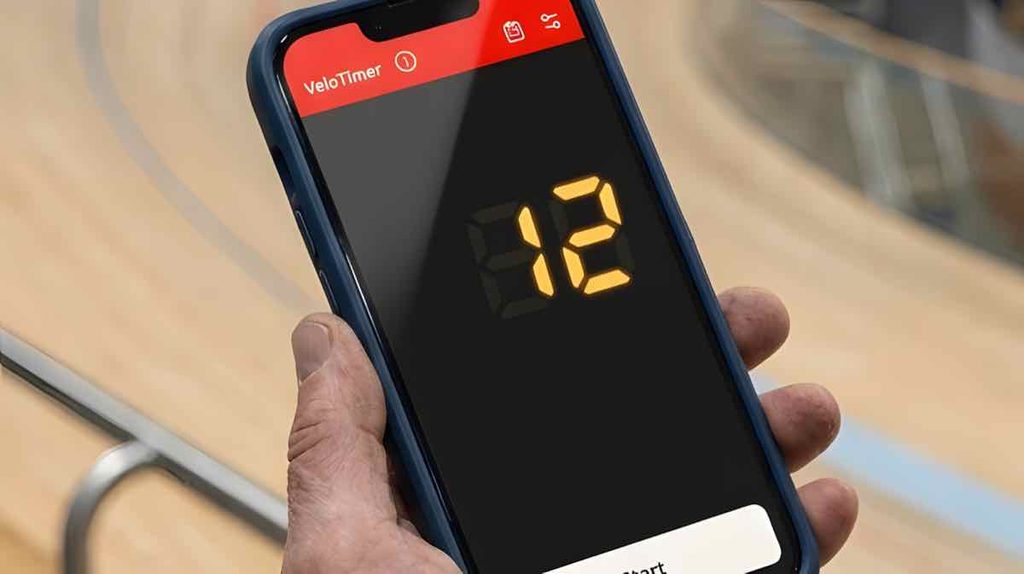
VeloTimer is a free countdown and stopwatch app, built as a website, installable on your smartphone, offline-capable … and ready to use right now. Go!
Track cyclists are a special breed, with special needs. When we do timed events, locked into bikes with a single fixed and abnormally big gear, it’s generally from a standing start – either clamped into a starting gate, or being held upright by a coach. An explosive start is critical to a competitive performance. Timing is everything.
As a rider and coach myself, I relied on a countdown-stopwatch app provided online by a cycling accessory company, BLS Global. You could set it to give you ‘beeps’ as the countdown reached zero – at which point, it automatically became a stopwatch.
This meant the coach could start a countdown, put their phone down, and hold their rider up. No need for an extra hand, or circus-grade juggling skills. And because it was built as a Progressive Web App (PWA), you could install it on your phone, like an app.
It was a little rough around the edges, but it was exactly what a coach needed.
And then it disappeared, when BLS Global revised their website. I only discovered its absence when I went to the track one day for a standing-start practice session. Within 24 hours, I had started work on my own version.
The result is VeloTimer – designed to offer the same core features as its predecessor, with a few extra features, and a little extra polish.
Designed primarily for smartphone use, you can configure your desired countdown duration, and choose from a range of ‘beep’ patterns. Most velodromes use a standard set of tones, but if your local track has an unusual pitch or rhythm, I can code it up for use within the app. For extra authenticity, there’s even an optional echo, allowing you to simulate the sound of a cavernous arena.
Once the stopwatch is running, it provides Lap functionality, with splits shown in a compact data table. When the ride ends, you can save the splits to a database on your device, then compare two rides with added data visualisation. You can export the database as CSV for external analysis.
There is also a Pursuit Mode, allowing the coach to show riders their last lap split as they pass: it uses an extra-large font, with the screen background colour showing if they are ahead of or behind their planned schedule.
It’s all free of charge, with no advertising and no sign-up. And once you install it, it should work offline. Try it now. You might want to turn down your phone volume first.